A comics platform you can click through
Kiste started as a comic reader: a crate of covers
you flip through like a longbox in a shop. Since then it has been turning into a
platform, with a store, a studio for creators and a lot of design rounds. On the afternoon
of 16 November I pasted in a page of notes headed ondrej kiste comics platform
and asked for this:
implement the stuff we need. dummy click dummy simulating backends etc... here are my notes... no need to go crazy detailed, we just need some dummies, something to show, something that is usable but not necessarily functioning
The notes are a feature list more than a plan. Among the lines: automatic AI
magic... drop off your image files and it does everything else
, best comic reader
possible... but how on phone
, no distracting UI
, wall of crates
, and
an e-reader, a dual-screen phone and a TV as places to read.
Thirty-six minutes later the dummies were live, dressed as Kiste. My answer:
oh you were supposed to stick closer to ondrej's draft... the black and white minimal design
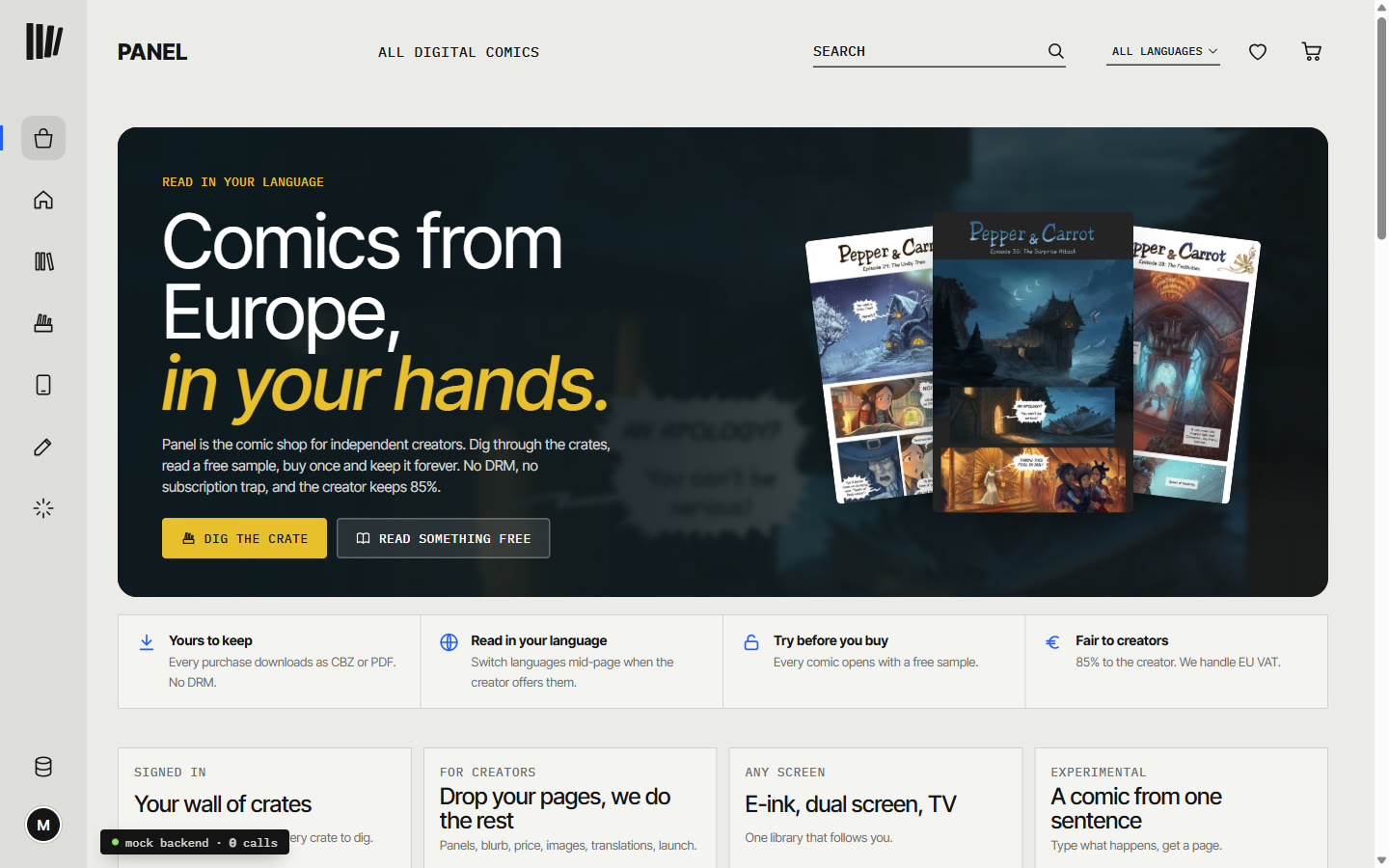
Ondrej's draft is for Panel, a comics
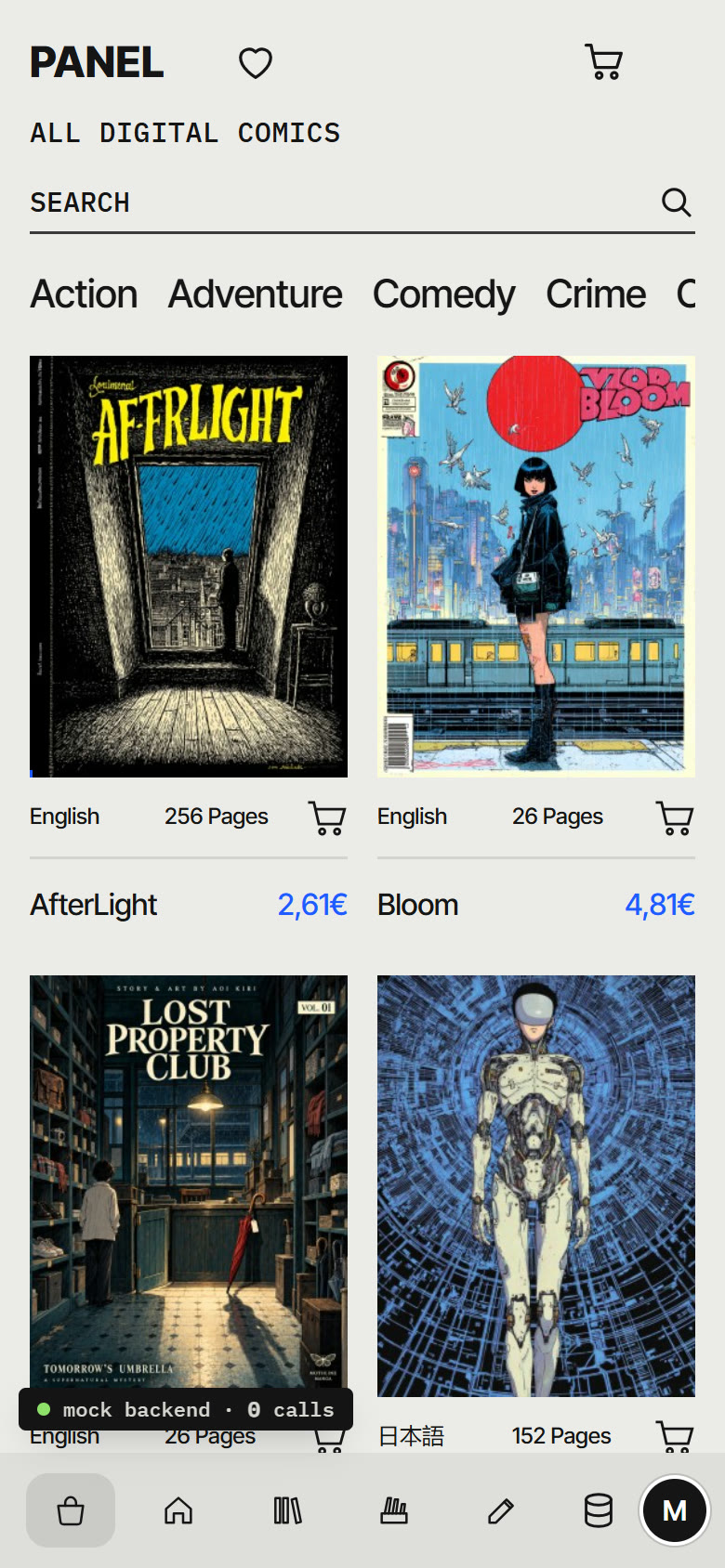
platform: a narrow left rail, a big list of categories, a five-column grid of covers with
the prices in blue, mono labels, grey and white. Twenty minutes after that, every screen
had been redrawn in it and the name on the page was Panel. I said very good....
and asked for it to become what the subdomain opens to.
Three fake people
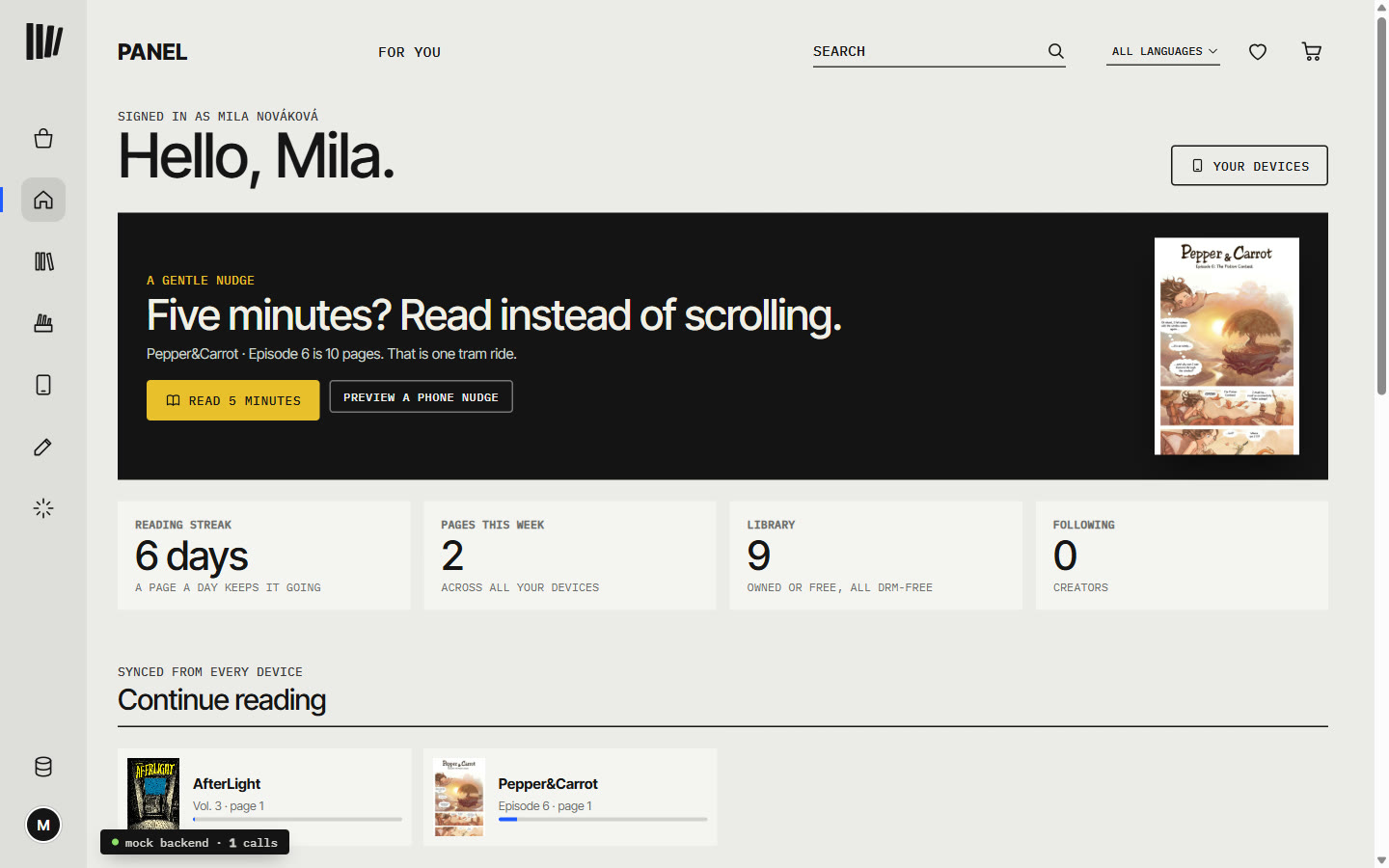
The avatar signs you in as one of three accounts that do not exist: a reader in Brno, a creator in Kraków, and a small publisher in Ljubljana he is signed with. The reader gets For you: what she was reading on which device, a streak, the wall of crates, and a nudge.
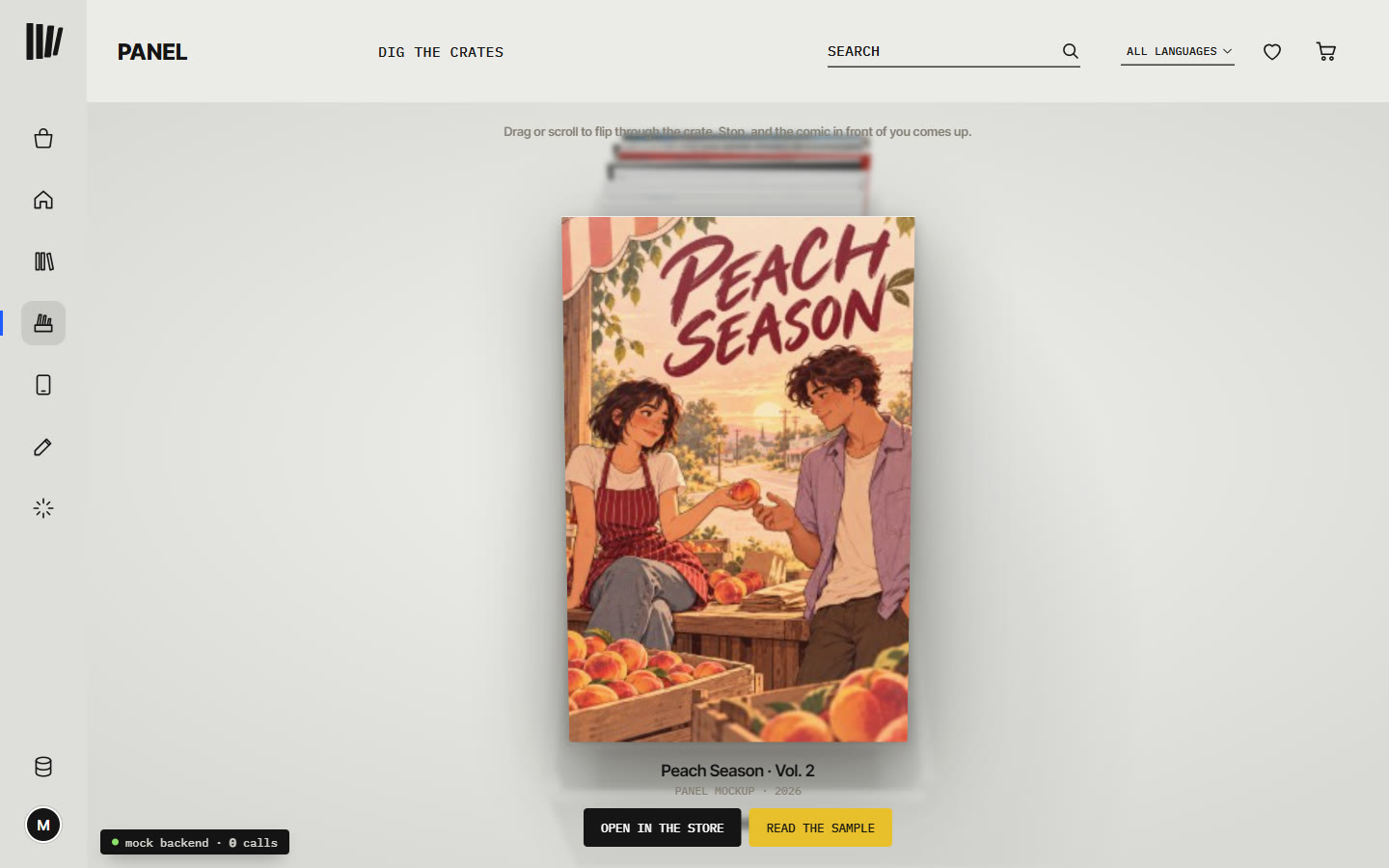
Each crate on the wall opens the crate from the first Kiste post, now as a grey room with only that crate's comics in it.
Drop your pages, we do the rest
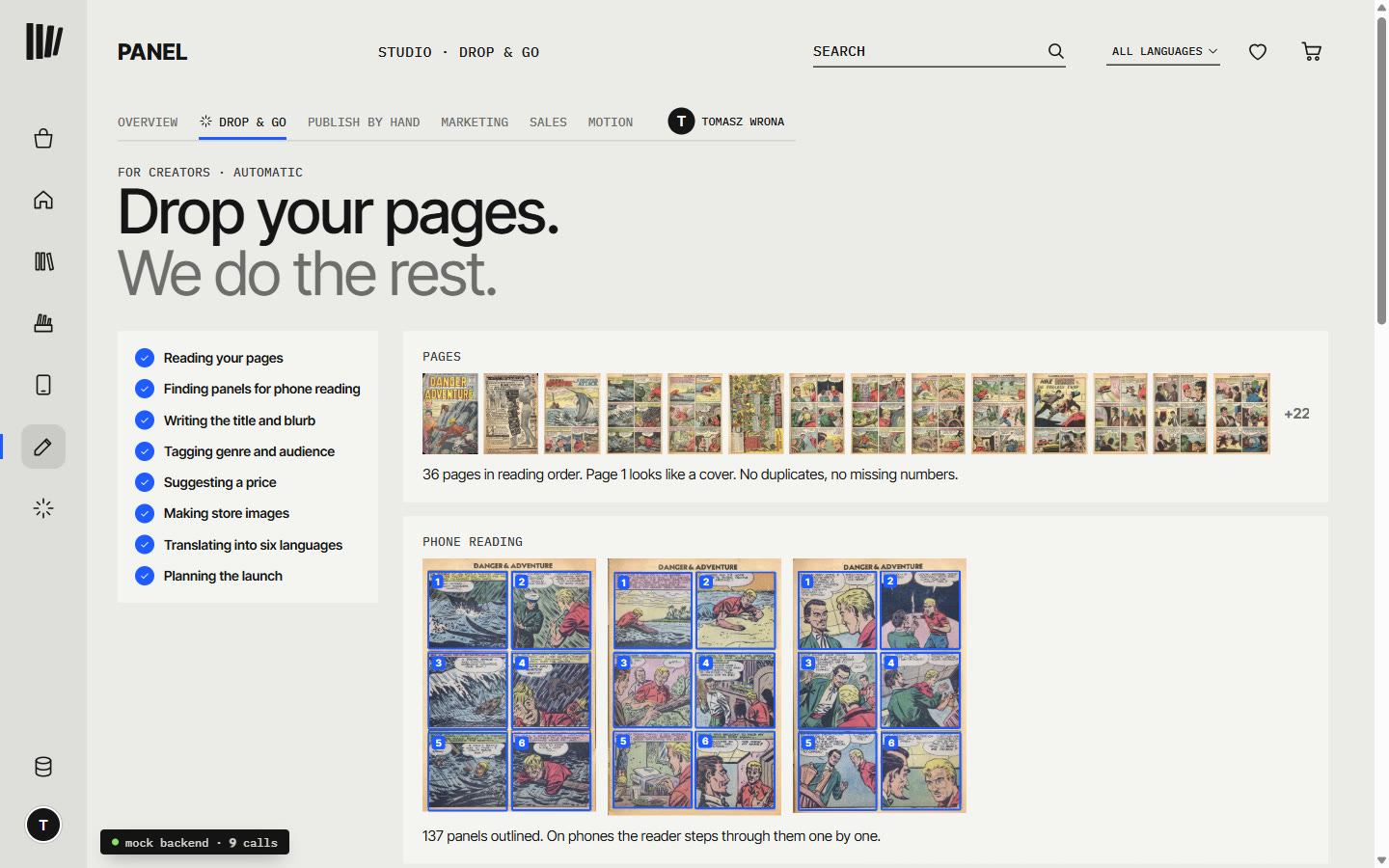
The creator side is the line about AI magic, faked step by step. Drop a PDF, a CBZ or a folder of pages, or press try it with a sample comic, and eight jobs tick through: reading the pages, finding panels for phone reading, writing a title and blurb, tagging genre and audience, suggesting a price, making store images, translating into six languages, planning the launch. Nothing is posted until the creator says yes.
Behind it sit marketing (an autopilot that drafts posts for approval), sales with
invented payouts, motion, and a page that makes a comic from one sentence. The examples
there include a Brno tram driver finds out her tram can travel in time
.
A backend made of nothing
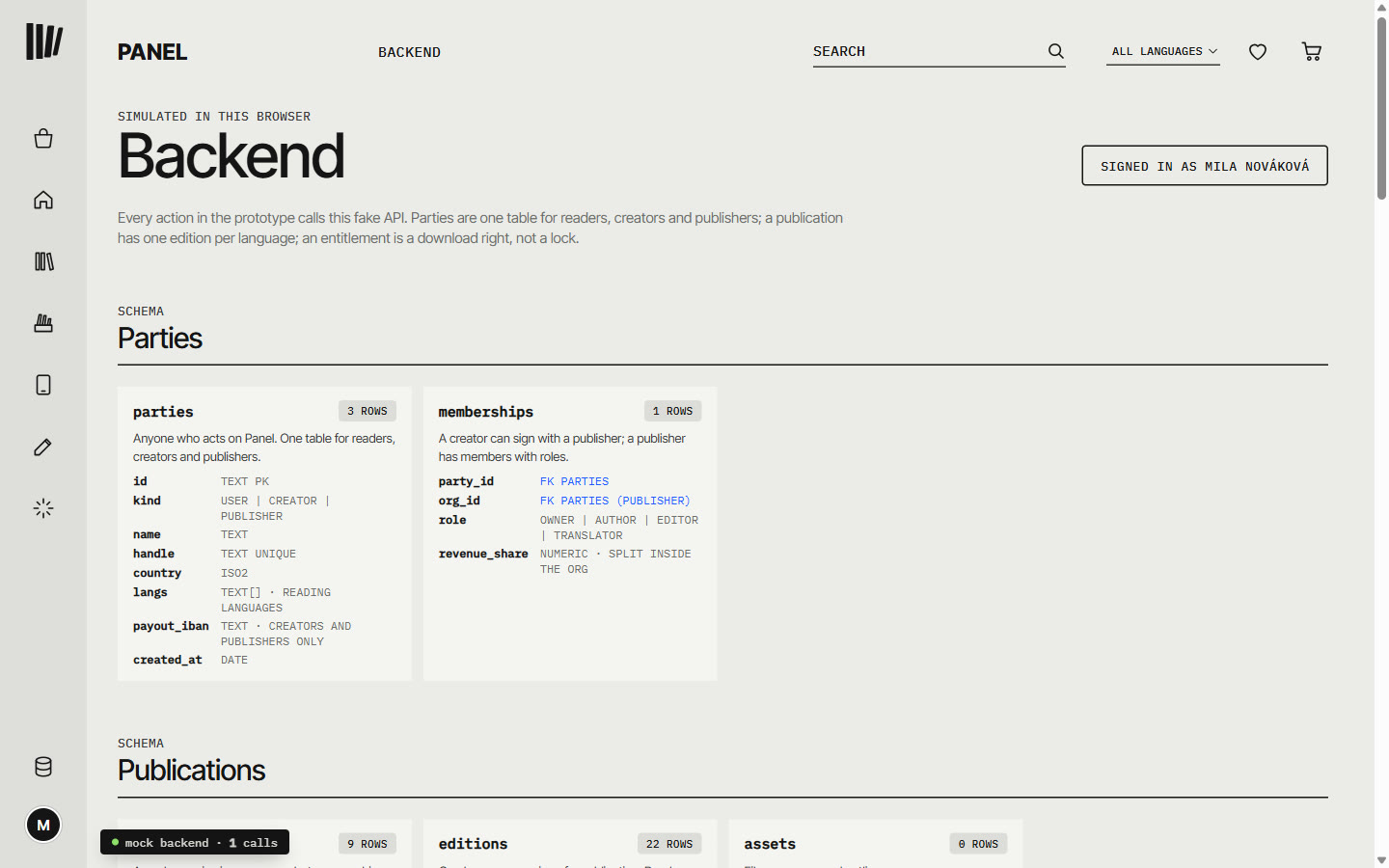
The database icon at the bottom of the rail opens the backend: the schema the dummies pretend to write to, with live row counts from the fake database in your browser. Readers, creators and publishers share one table. A comic has one edition per language, so the reader can switch language mid-page. Buying a comic gives you a download right, not a lock.
- screens
- marketplace, comic page, reader, For you, library, crates, devices, studio with drop & go, marketing, sales and motion, make a comic, backend
- fake backend
- 21 endpoints, 13 tables, three accounts, all in the browser
- comics
- 19 in the store: Ondrej's 10 mockup titles, 6 Pepper&Carrot episodes by David Revoy (CC BY 4.0), 3 public-domain issues from the 1940s and 50s
- built
- 16 November, the afternoon: the Kiste version in 36 minutes, Panel's look about twenty minutes after that
Still rough
It is a dummy, as asked: usable, not working. No payment is taken, no file leaves your browser, and no model is called; every "server" answer is made up on the spot, including the sales figures and the reach of the marketing posts. Ondrej's ten titles are covers only, so opening one shows the pages of a public-domain issue instead. Pepper&Carrot is there as an example listing: David Revoy is not on Panel and nothing is sold for him. More public-domain comics and Pepper&Carrot episodes were downloading when the afternoon ended; they are not in the store yet.