Tack XR: a reference board as a wall in the room
Tack is my open-source PureRef for the browser and the desktop. One of the boards in it is the concept board for Fruitland: worlds, moments of the story, ideas for later, all as pictures. On a screen, arranging a board that big is mostly panning and zooming. At ten past eight on 15 November I asked for this:
can you build me a prototype of tack in webVR? usable on quest 3. upload the board C:\Users\reinp\OneDrive\games\fruitland\fruitland-concept.tack to work with there .. the idea is that all that panning and zooming is a lot of work especially on a big board where you really want to arrange things. it should however not be too complex, so perhaps a large wall fixed in space.... XR / MR would be even better. just make a simple prototype that has as few features as we need. nothing fancy just for me to work with this one file. deploy it somewhere new so I can use it from browser but that it doesnt interfere with the other tack products
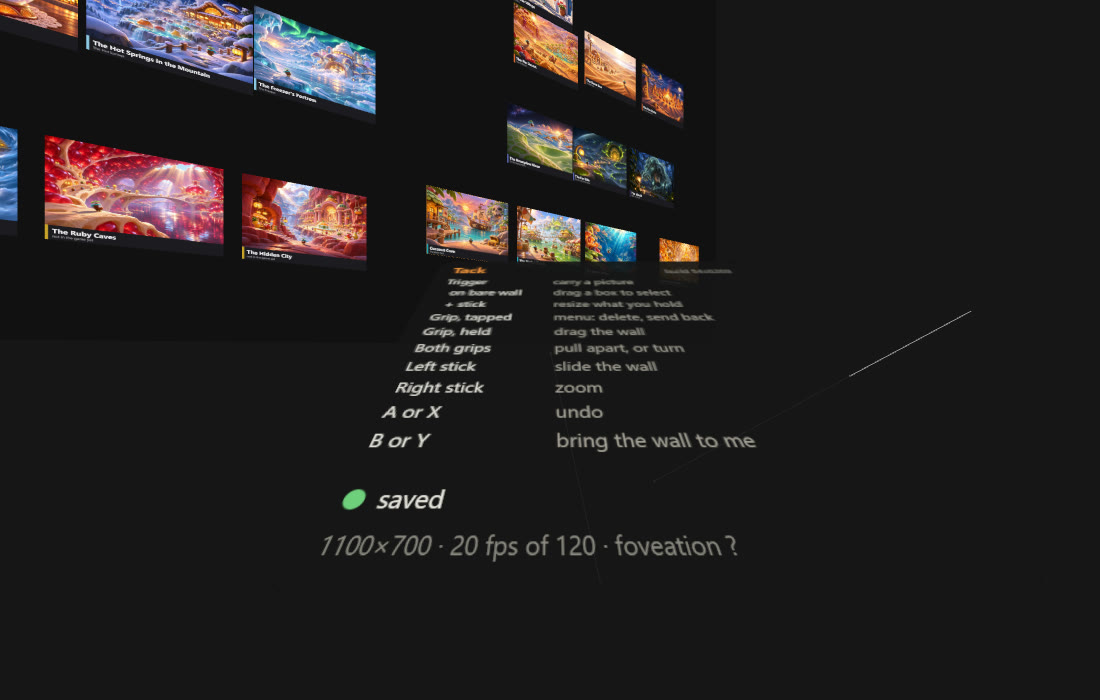
Thirty-six minutes later it was online in its own folder on the webspace, sharing nothing with the Tack web app. Open it in the Quest browser, press Enter mixed reality, and the board hangs as one flat wall in the room, with the room still visible around it. The trigger carries a picture; the grip takes hold of the wall.
Sharp first
The first session in the headset came back with this:
make sure to use max resolution, zero foveation, max fps. also multi select should work by dragging while holding trigger. context menu or something with grip (so I can delete) moving / zooming the wall should be faster, its very slow now. main issue is low res though ... if we can fix it that would be great. also anti aliasing to the max... if we cant fix it I will probably just switch to printing the images but let's try to get max fidelity first
Four things were costing sharpness. three.js starts a headset session with fixed foveation at its maximum, so on a wall that fills the view most of it was rendered coarse. The eye buffer was smaller than the panels. The pictures had been shrunk to 1024 pixels on the way in. And textures seen at a slant were read from a blurry mip level. All four were changed: foveation off, the buffer a quarter above one-to-one, the original files, and anisotropic filtering with a slight sharpening bias. The wall now travels three times as far as the hand that holds it, a box dragged on bare wall selects several pictures, and a tapped grip opens a menu with Delete and Send to back.
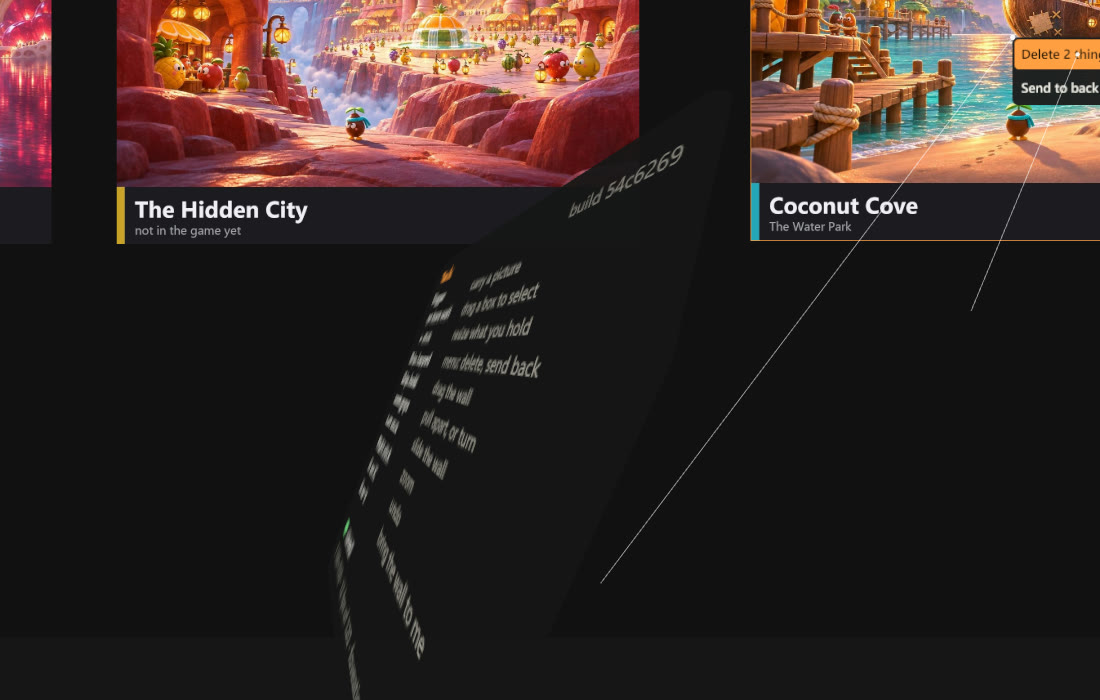
The next answer from the headset: idk if I have the latest version but it still looks exactly the
same
. He did not have it. The webspace serves JavaScript with a seven-day cache, so the
Quest had kept the very first version, maximum foveation and all, through both later
deploys. Code is now sent with no-cache, every code address carries the build
id, and the build id is printed on the wrist card, so the question “which version am
I looking at” has an answer inside the headset.
A landscape board
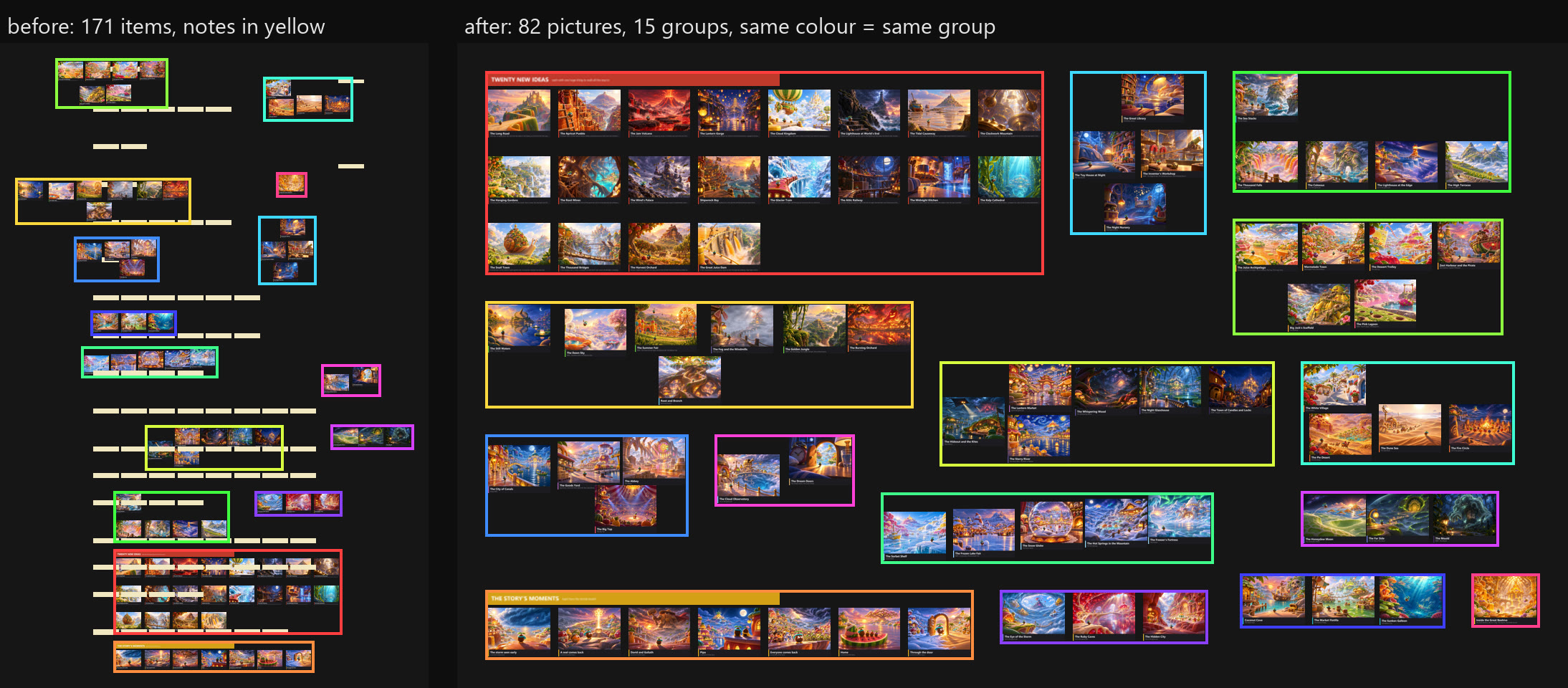
The same message asked for the board itself to change: remove all the yellow boxes
from the .tack file and lay it out in a landscape format without changing the groups...
so you can move the groups in whichever way but the individual close-neighbor groups need
to stick togehter
. A small tool now does that for any .tack file: it drops the notes,
finds the clusters of pictures that sit close together, and packs the clusters into a
1.8:1 rectangle without moving anything inside one.
That version got already a lot better....
and a question: any way we can make
it stationary in my room so that I can walk towards the board? is that possible?
It
already was. The wall is placed once, in room coordinates, when the session starts; walking
up to it is walking up to it. Nine minutes later:
wow this is SO useful for tack in general not just for the game... ok yes youre right it does technically work... the ONE thing I keep trying intuitively is both grip and rotate.... because the quest os not THAT precise and so the board keeps kind of leaning towards a certain rotation so it would be great if I can adjust rotation simply by holding both grips (you have an imaginary vector between them now) and then rotating (so the imaginary vector rotates and you can just copy that to the boards rotation)
Both grips now steer the wall like a tray: turn the line between your hands and the wall turns with it, degree for degree, around the point between them. It only turns about the vertical, so a hand held higher than the other cannot tip it. Pulling the hands apart still enlarges it, in the same motion.
Back and forth with the desk
Every change in the headset is saved as it is made, and on the desk the same address
hands back a .tack file with the new positions written into it, every picture byte
untouched. The rest of the evening went both ways. At twenty past eleven: the tack file
was updated so you probably need to re-upload and cache bust it
, and the wall went from
82 pictures to 166. At twenty to two: ok tack file is updated in onedrive, please upload
latest version
, and it went to 227. Both times the board file on the desk already held
what had been arranged in the headset, which is checked before each rebuild.
- built
- Claude Code, 15 November from 20:11, first version online at 20:47, two-grip turning at 22:16; board updates at 23:28 and 01:43
- board
- the Fruitland concept board, 82 pictures in 15 groups at first, 227 by the end of the night; about 1.5 GB of graphics memory at that size
- runs on
- the Quest 3 browser, WebXR in mixed reality; the same code runs with a mouse on a desk
- made with
- three.js, about 1,000 lines of plain JavaScript; a small PHP endpoint for saving; a Python script that turns a .tack file into the page's board
- tested
- in the headset by me; between sessions on IWER, Meta's WebXR runtime in JavaScript, in headless Chrome
Still rough
This is a prototype for one file. The headset address is unlisted and holds my board, so it is not linked here, and a different board means a rebuild and a redeploy. Whether it is now as sharp as the panels allow is open: nobody has read the resolution line off the card in the headset yet, and if it is still soft the next step is a compositor layer the headset samples directly. The wall is hung in front of you each time you enter instead of staying in its spot in the room; anchors or snapping to a real wall from the Quest's room setup are the two ways to fix that. Rotating and cropping pictures, editing notes and hand tracking are left out on purpose.