Blocker: grey boxes for Fruitland levels, at the desk and in the headset
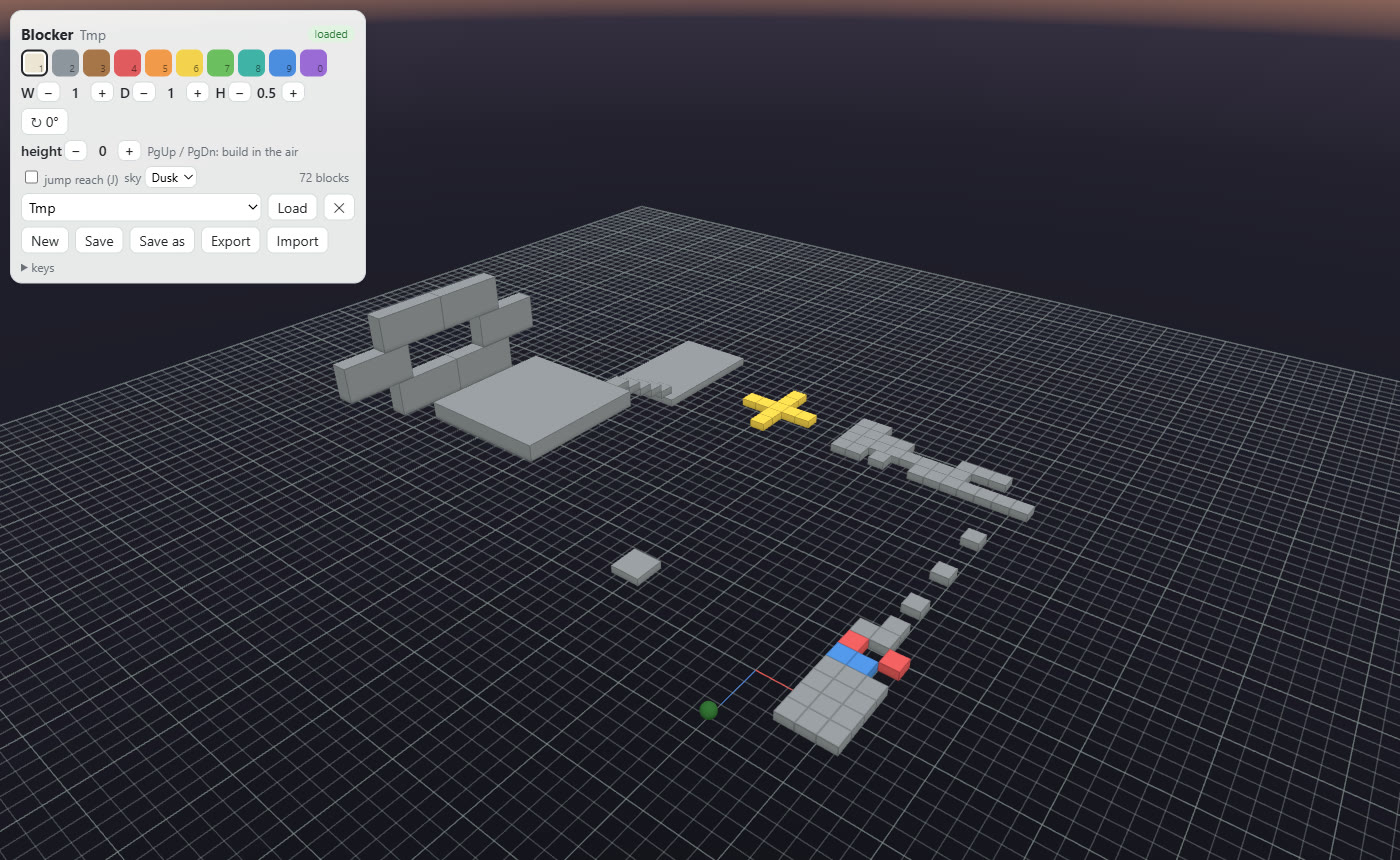
Before a level gets art it gets boxes. Level designers call this blocking out: you put down
plain shapes where the platforms, walls and stairs will be, walk it, and move them until
the jumps feel right. Blocker does only that, in the browser, for
Fruitland. Its first line
says what it is for: cuboids for manual 3D blocking, on the desktop and in the
headset.
It went live early this morning, and the one level saved in it so far is
called Tmp.
In Pip's units
A block is a cuboid on a half-unit grid, and the units are the game's own: the basic block is 1 wide, 1 deep and half a unit high, and every side grows or shrinks in halves up to 40. There are ten colours. A click on a face puts the next block against it, a click on empty space stands it on the working plane, and Page Up and Page Down lift that plane in half units to build floating platforms. Blocks are dragged across the ground, or up and down with Shift, and turned by quarter turns or by 15°. Everything has undo.
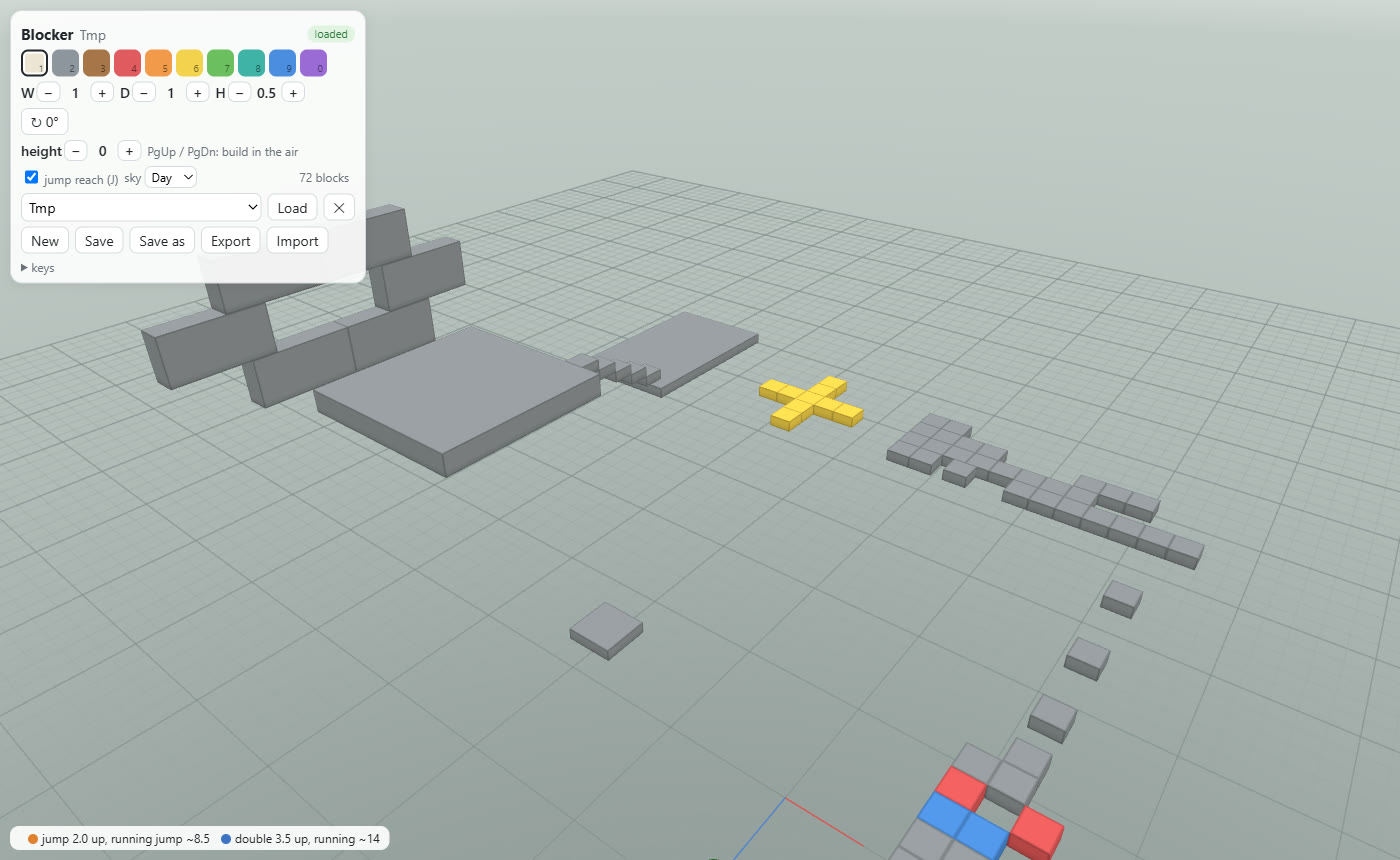
The one thing a box editor does not know is how far the character can jump, so Blocker
draws it. With jump reach on (key J), the spot under the cursor gets two rings and a
column: jump 2.0 up, running jump ~8.5
in orange, double 3.5 up, running ~14
in blue. A gap is either inside the ring or it is not. P puts Pip's start where the cursor
is.
The same level in the headset
The second half of the code is for the Quest. Enter VR shrinks the level to a tabletop diorama at 0.22 m per unit, the scale the game uses for its islands, and Enter AR puts it over the room through passthrough. The sticks behave as they do in the game: the left one flies, the right one turns the world and zooms it about the point in front of your head. The rest is triggers and grips:
- right trigger: tap for one block, press and drag to draw a box between two snapped corners;
- right grip on a block: pick it up, move it, turn it in quarter turns about any axis; the left grip as well pulls it bigger or pushes it smaller;
- B deletes, X undoes, A redoes; Y opens the palette at the left hand, and the right trigger paints whatever it sweeps over;
- a grip on nothing moves the world, both grips scale and turn it.
The levels live in a small store on the webspace, so a level saved on the PC can be opened
in the headset. Each copy carries a timestamp, and a save never overwrites a newer copy from
the other device; it says the store has a newer copy
instead. Export writes the same
thing as a JSON file in a format called fruitland-blocks/1.
- built
- on the other PC, live on 24 November 2026 at 05:10; Tmp saved three minutes before that
- runs on
- a desktop browser with a mouse; Quest browsers for VR and AR
- made with
- three.js and WebXR, no build step; five modules, 1,405 lines of JavaScript; all blocks drawn as one instanced mesh
- saves to
- the browser on every change, and named levels to a PHP store shared by both devices
Still rough
It is one day old, and the store holds one level with a placeholder name. The export is a format of its own, and the Fruitland code on this laptop, which is older than Blocker, does not read it, so this post cannot show a blocked-out level arriving in the game. The store is open to anyone who reads the page source, since the key sits in it; that keeps out bots, not people. There is no help beyond a keys list in the panel, and the desktop side needs a mouse: orbiting is the right button, panning the middle one.