A wardrobe on the phone that dresses you for the weather
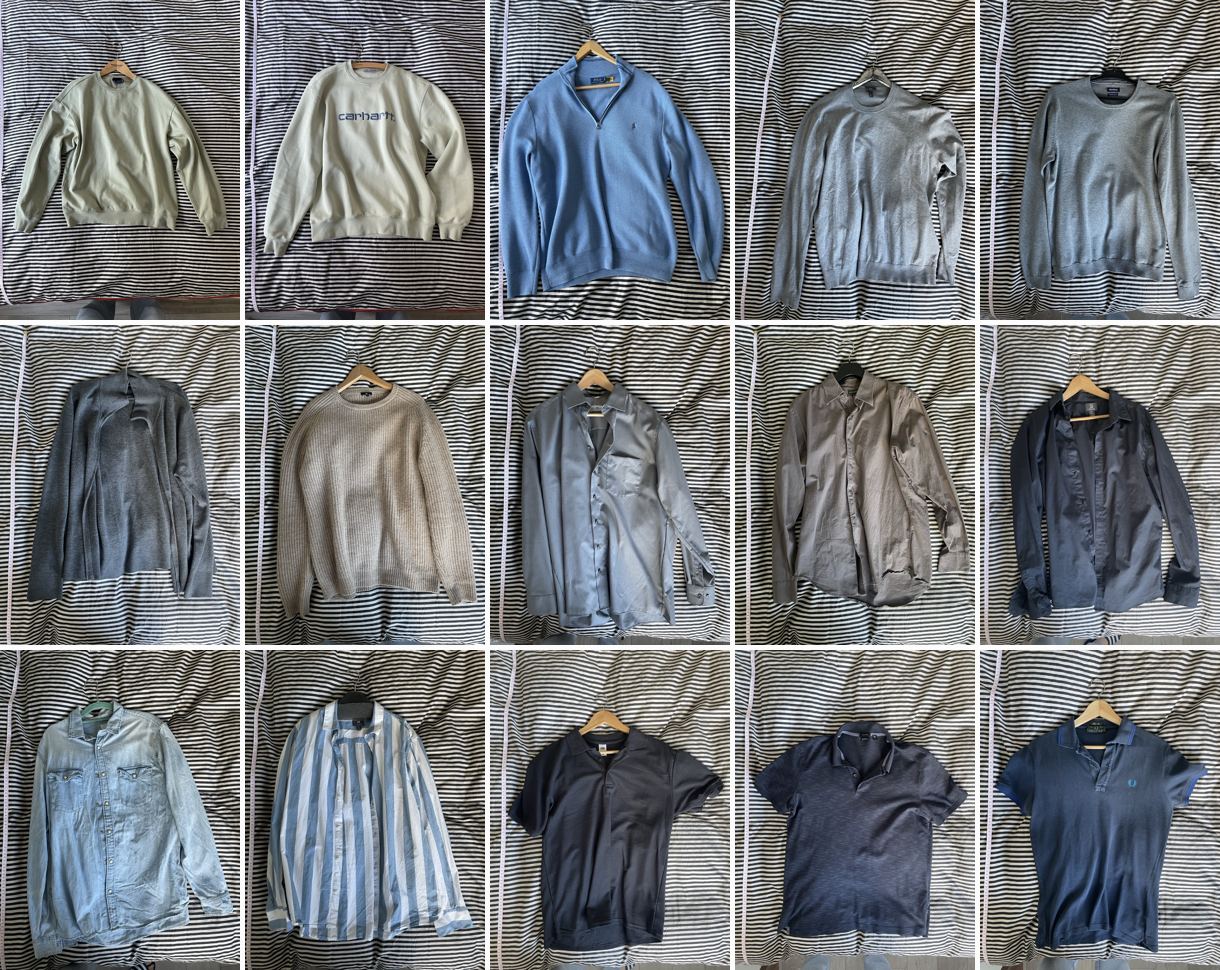
On 19 January I laid fifteen tops on the bed one after another, each on its hanger, and photographed them with the phone: three before half past ten in the morning, the rest in two batches after lunch, the last at 14:20. They are the photos that sit in the repository of an iPhone app that turns a closet into pictures, the pictures into data, and the data into outfits. The repository went up on GitHub on 17 March, and a last round of changes to the app's layout followed on 25 March.
One loop
The design note in the repository puts the whole app into one line,
Capture → Browse → Combine → Visualize → Decide, and describes the
feeling it is after: This app should feel like opening your closet — except your closet
is perfectly organized, everything is visible at once, and someone smart is standing next to
you making suggestions.
Each step is one part of the code.
What a photo becomes
A photo is saved the moment the shutter is tapped, twice: the original and a normalised
JPEG, linked by their SHA-256 hashes. Classification happens afterwards and out of sight.
The model is asked for JSON in a fixed shape: category, item type, dominant and secondary
colours with hex values and shares, pattern, material, fit, collar, sleeve length, closure,
pockets, the shoe fields, formality, seasons, tags, a confidence and a note under 35 words,
with the instruction If uncertain, use "unknown" instead of guessing hard.
One field
matters more than the others: an insulationIndex from 0 for very light to 100 for
very warm.
Dressing for the weather without the network
The combinator is 800 lines of plain TypeScript and makes no calls at all. It sorts the pieces into shoes, trousers, tops, belts, sweaters and jackets, using the classifier's category first and words like chino, loafer or parka second, and needs at least one pair of shoes, one pair of trousers and one top. The three buttons set a target: Warm 38, Mild 58, Cold 78. A look's warmth is a weighted sum (top 0.30, jacket 0.28, trousers 0.26, sweater 0.22, shoes 0.18, belt 0.06), and its score starts at 50: +22 if the warmth is within 8 of the target, +12 for at least two neutral colours, +8 if no more than two pieces are loud, +7 when shoes and trousers share a colour, +4 for a belt. It samples up to 1,800 raw combinations, scores them, and then mixes the order on purpose so that the same piece does not anchor every look. Each card shows at most three reasons, such as Insulation target matched or Strong neutral base.
Trying it on
For the try-on, a photo of the wearer goes first and up to five garment photos follow, to
Gemini's image model (Nano Banana Pro). The prompt begins Generate a realistic virtual
try-on image. Keep the person identity, face, body shape, pose, and camera perspective
consistent with the first image
and ends with a list of things to avoid, duplicate
limbs, warped hands, or broken anatomy
. It waits up to 90 seconds, tries three times
with a growing pause, and says which attempt is running. Every render can be marked
Yay or Nay, and the answer is stored for each piece and for each pair of
pieces in the look.
25 March
The last documented session is about getting out of the way. The outfit page, until then hidden behind a developer switch and called the Lookbook, became a normal tab called Combine, with a Generate Looks button on its empty state. The camera lost its tab and moved behind a + in the wardrobe header, and after a photo it now returns to the wardrobe by itself.
- built
- with Claude Code on the Mac, January to March 2026; photos 19 January, repository 17 March, last session 25 March
- runs on
- an iPhone, through Expo Go; everything is stored on the phone
- made with
- Expo SDK 54, React Native 0.81; one
App.tsxof 5,373 lines, an 800-line combinator; gpt-4.1-mini for tagging, gemini-3-pro-image-preview for the try-on - tests
- 80, all offline, for the combinator
Still rough
There is nothing here to install: it runs only through Expo Go with my own keys, and the keys are read inside the app, which works for one phone and nowhere else; a public version would need a small server in between. The repository holds only tops, so it cannot make a single outfit from its own photos. The Yay and Nay answers are collected but nothing reads them yet when suggesting looks. And in October an overnight agent on the Windows laptop added Favorite and Don't suggest to each piece, with the 80 tests, on a branch that has not been on a phone yet.